How Can We Help?
Sign my Declaration
If you are having issues signing your declaration:
- Make sure your modules are all complete with 100%
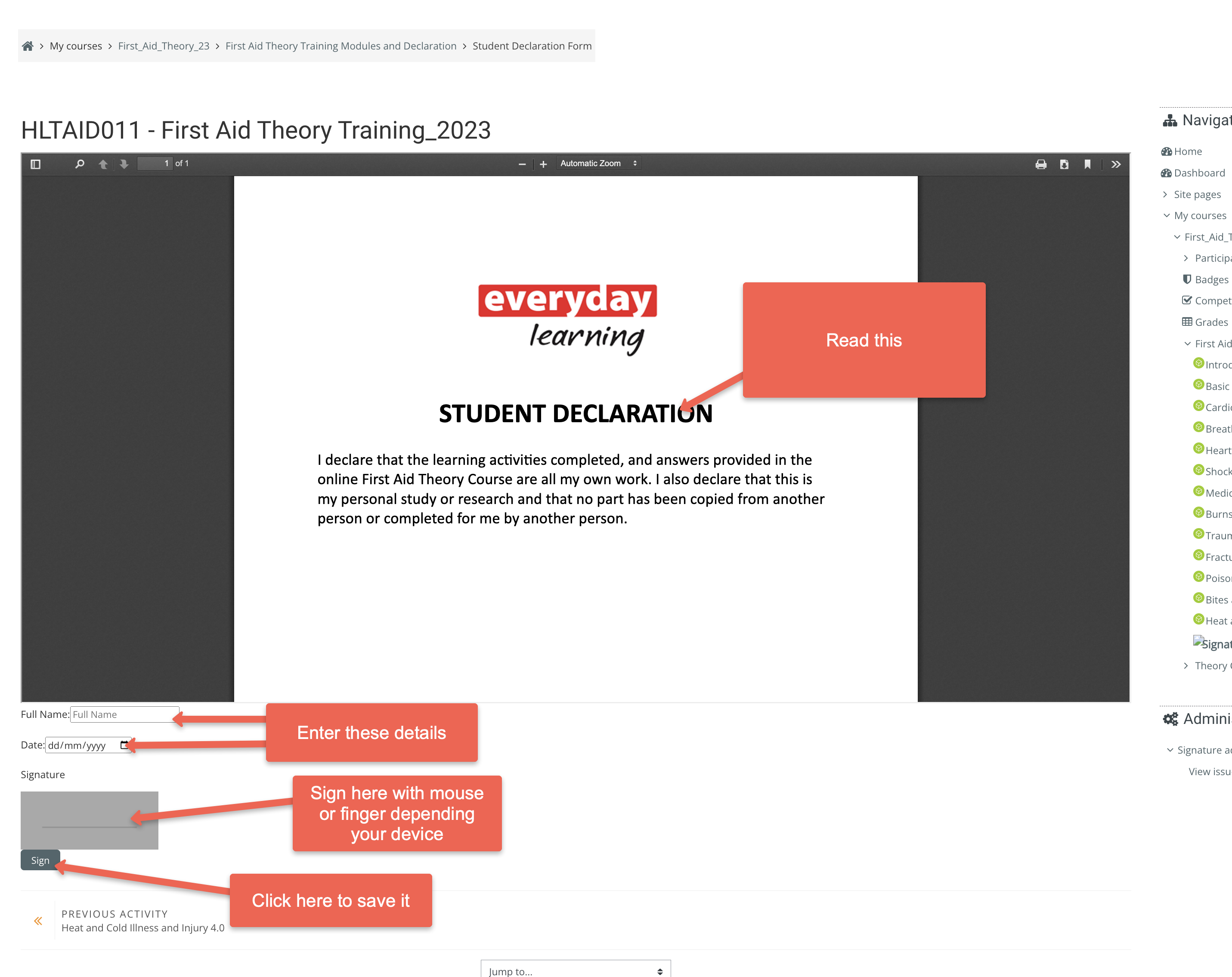
- Open the declaration
- Read the declaration
- Scroll down to underneath the declaration
- Type your name and add the date
- Sign on the line with your mouse or finger depending on your device.
- Then click sign to save it.