Having Log in Issues, username and password not working?
If you are having issues logging in, showing Username and Password as incorrect, please make sure to check the log in details sent to you. You will need to use the same exact details sent, it may not be the whole email address or your name. Please check them carefully. In most cases the username is not your email address.
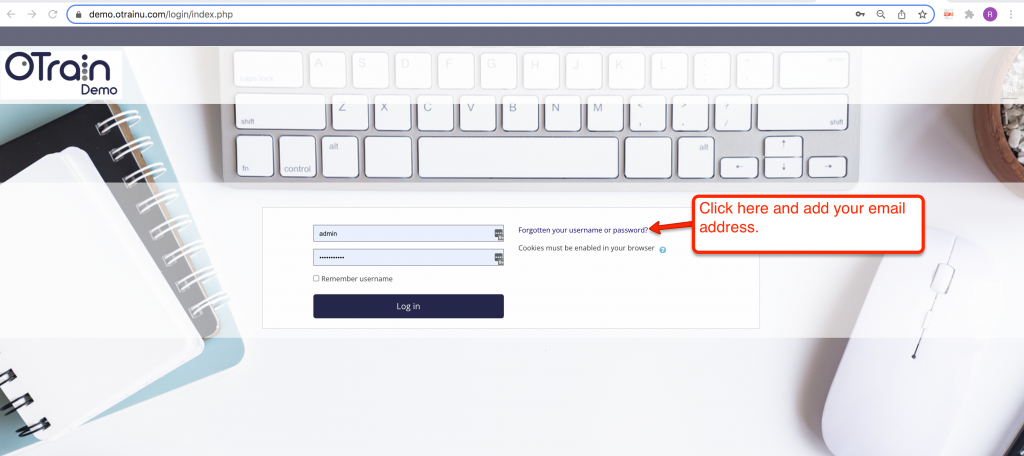
You can click on forgotten your username or password.
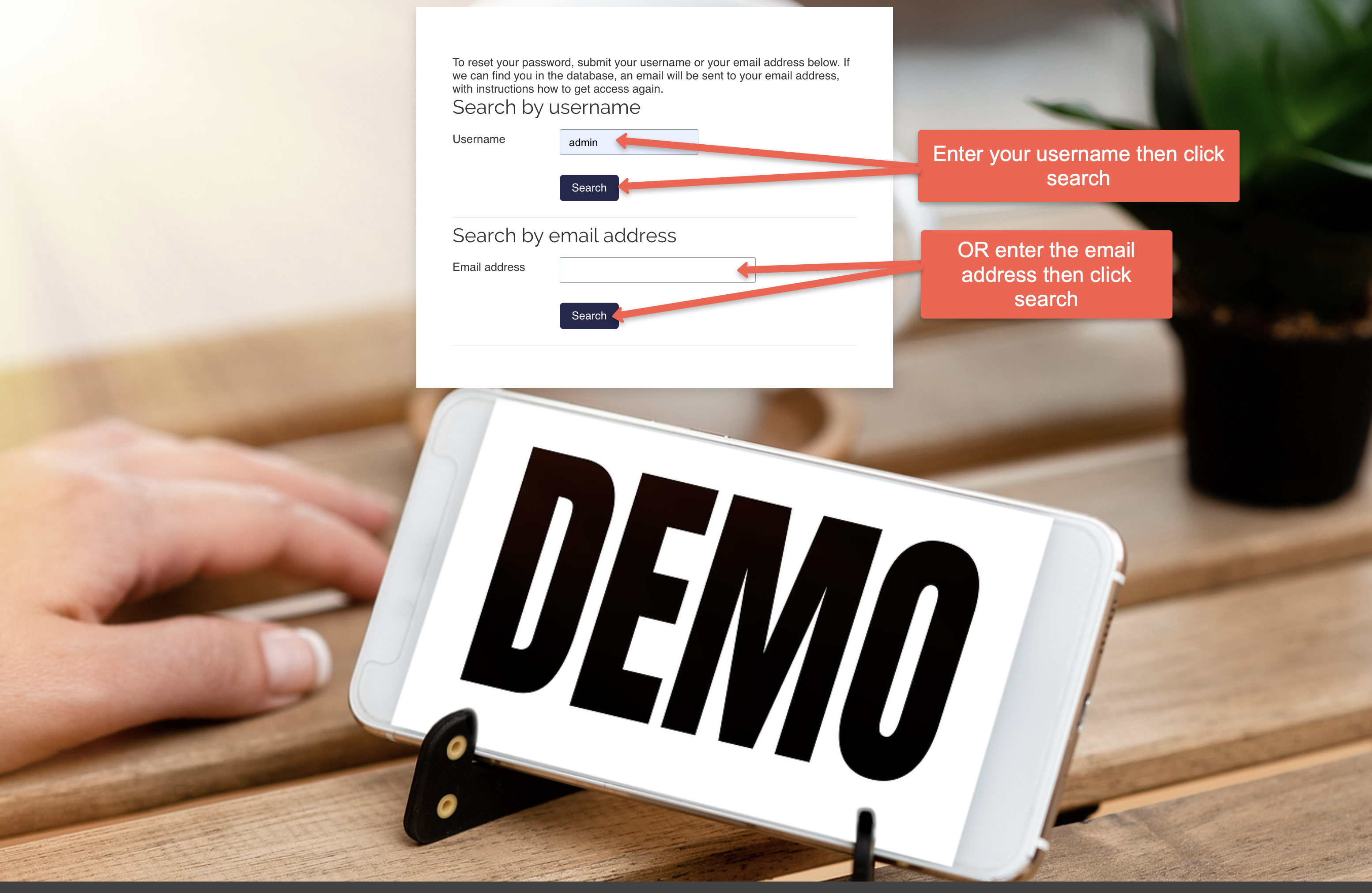
Enter your username OR email address and you will receive an email to reset your details. Please make sure to check your junk emails too if it has not arrived. In some cases your username will show in the password rest email you receive.
New passwords need to be 8 digits long and require a capital letter, lowercase letter, number and an alphanumeric character.
If the details are still not working, send an email to support@otrain.com.au with your full name and email and the course you are enrolled into and we will get back to you.