How Can We Help?
Allow Pop-ups on Chrome
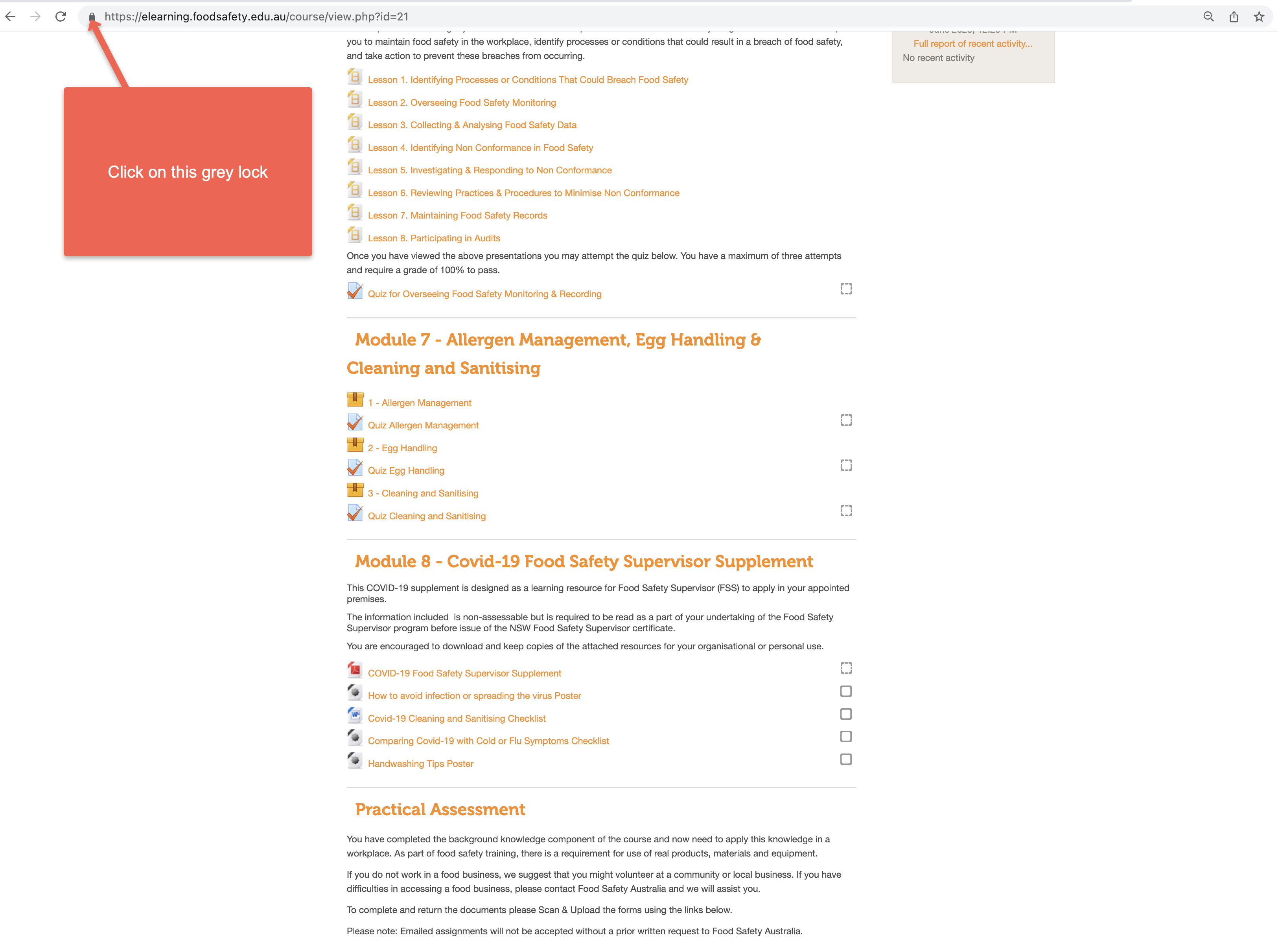
Click on the small grey lock next to the URL
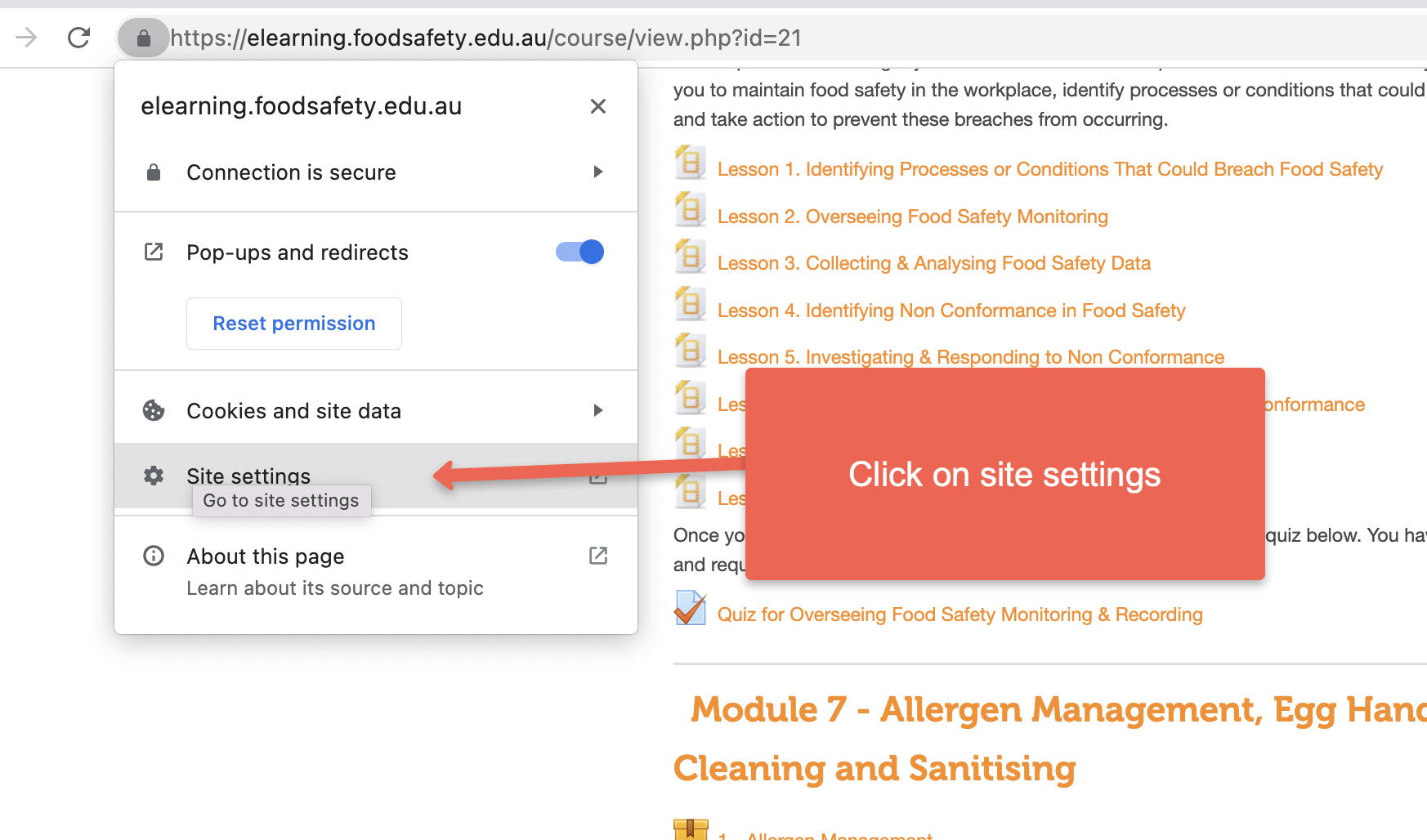
Then click on site settings
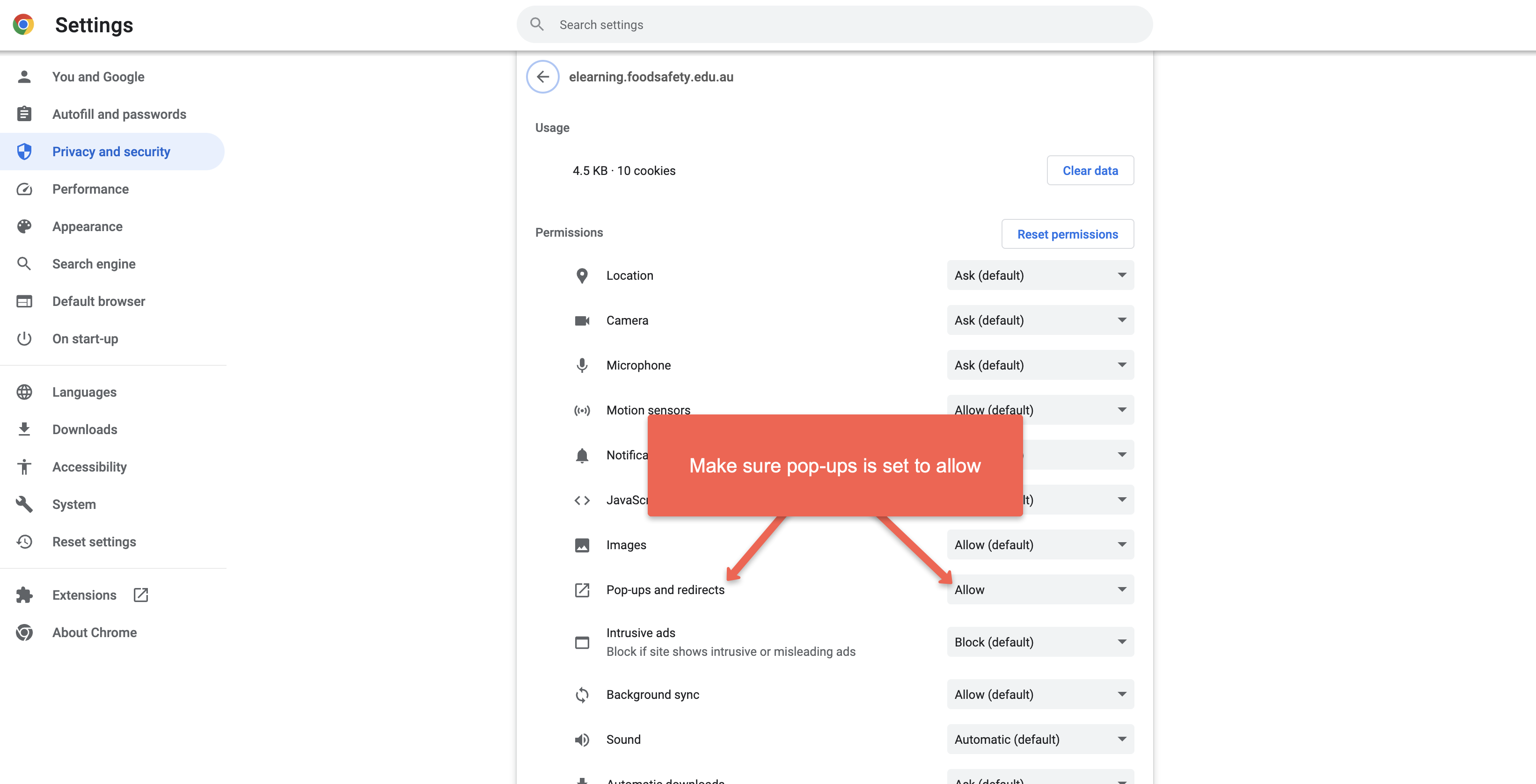
Then make sure Pop-ups is set to allow
Click on the small grey lock next to the URL
Then click on site settings
Then make sure Pop-ups is set to allow